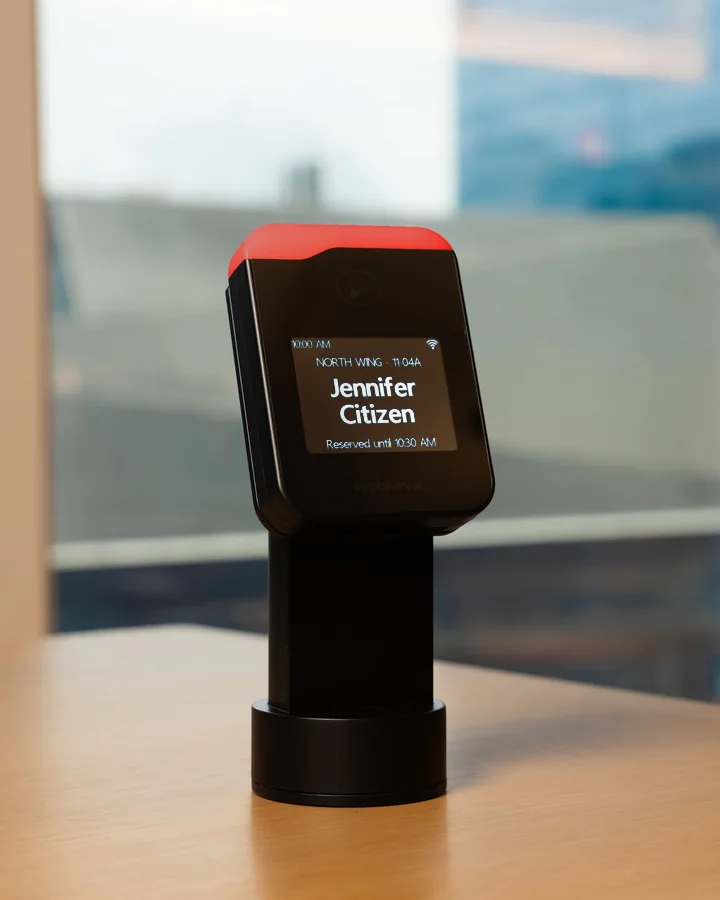
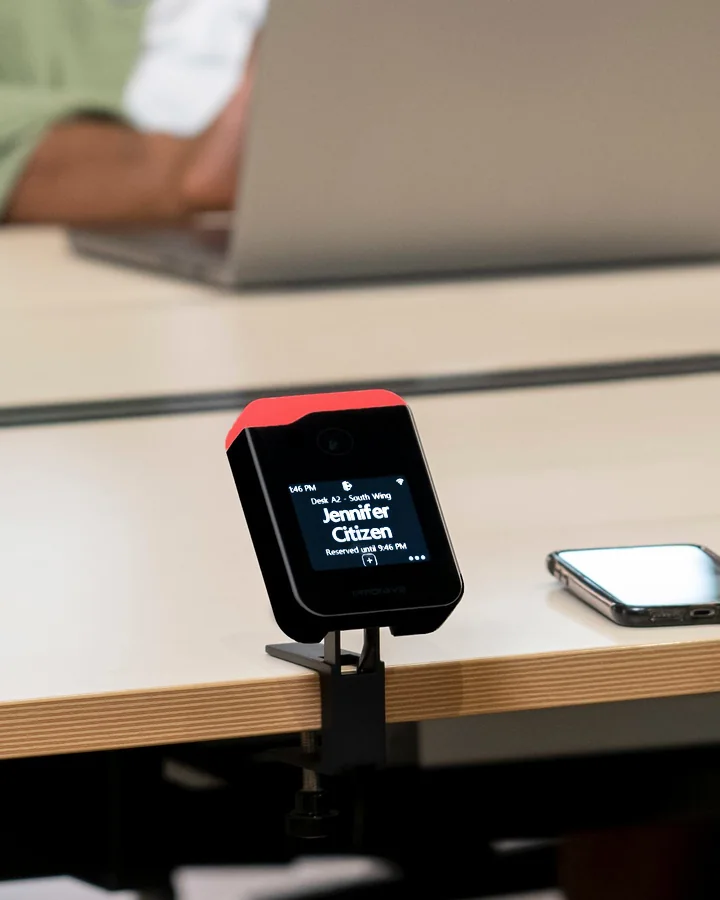
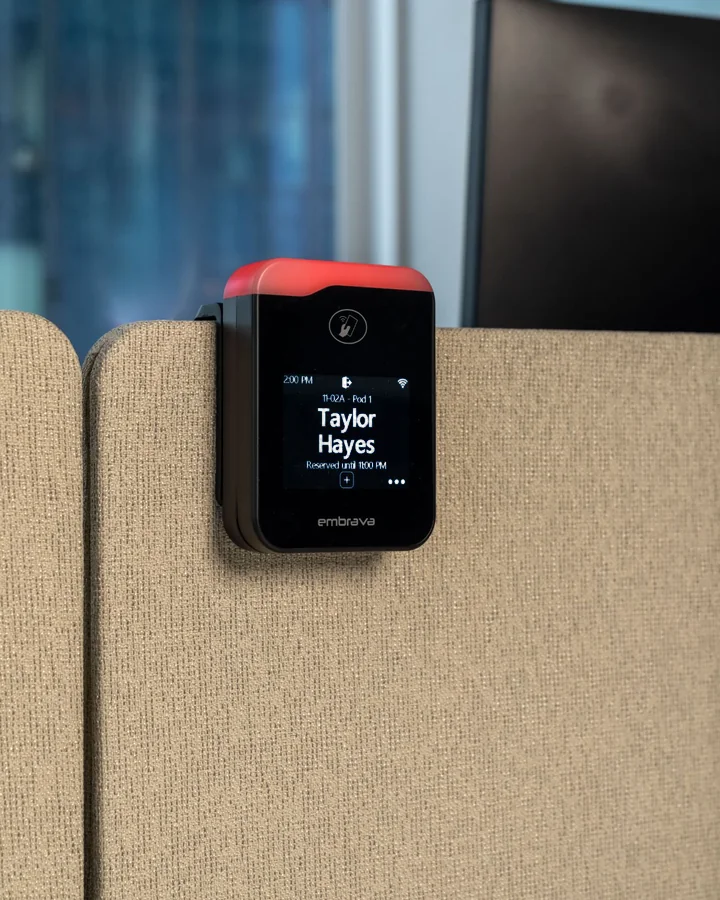
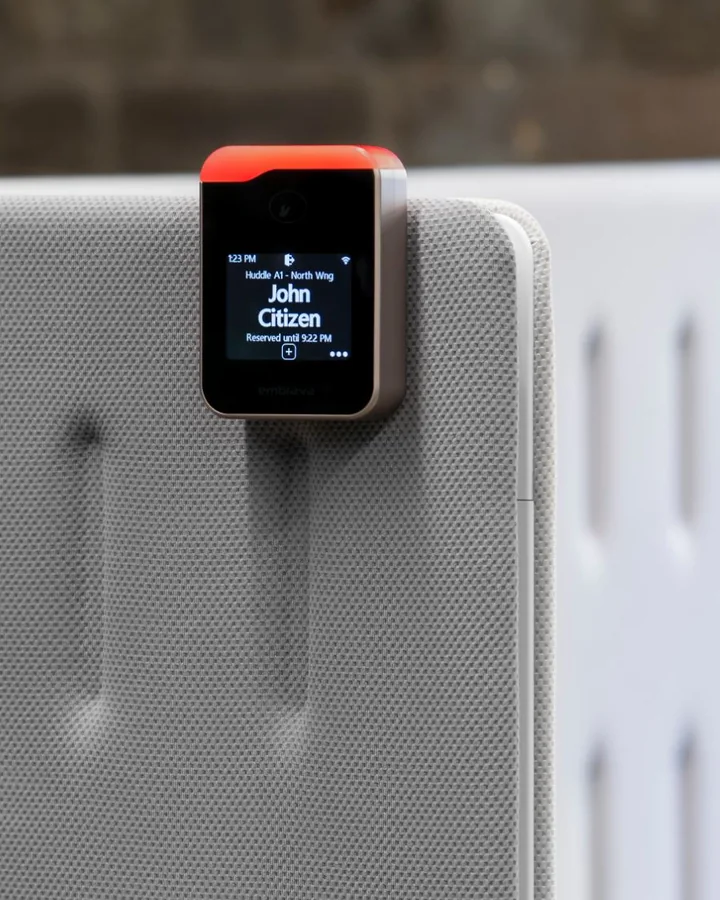
Find a free desk.

The status light shows whether each desk is available, reserved or in use, so you can spot an open one from across the room.
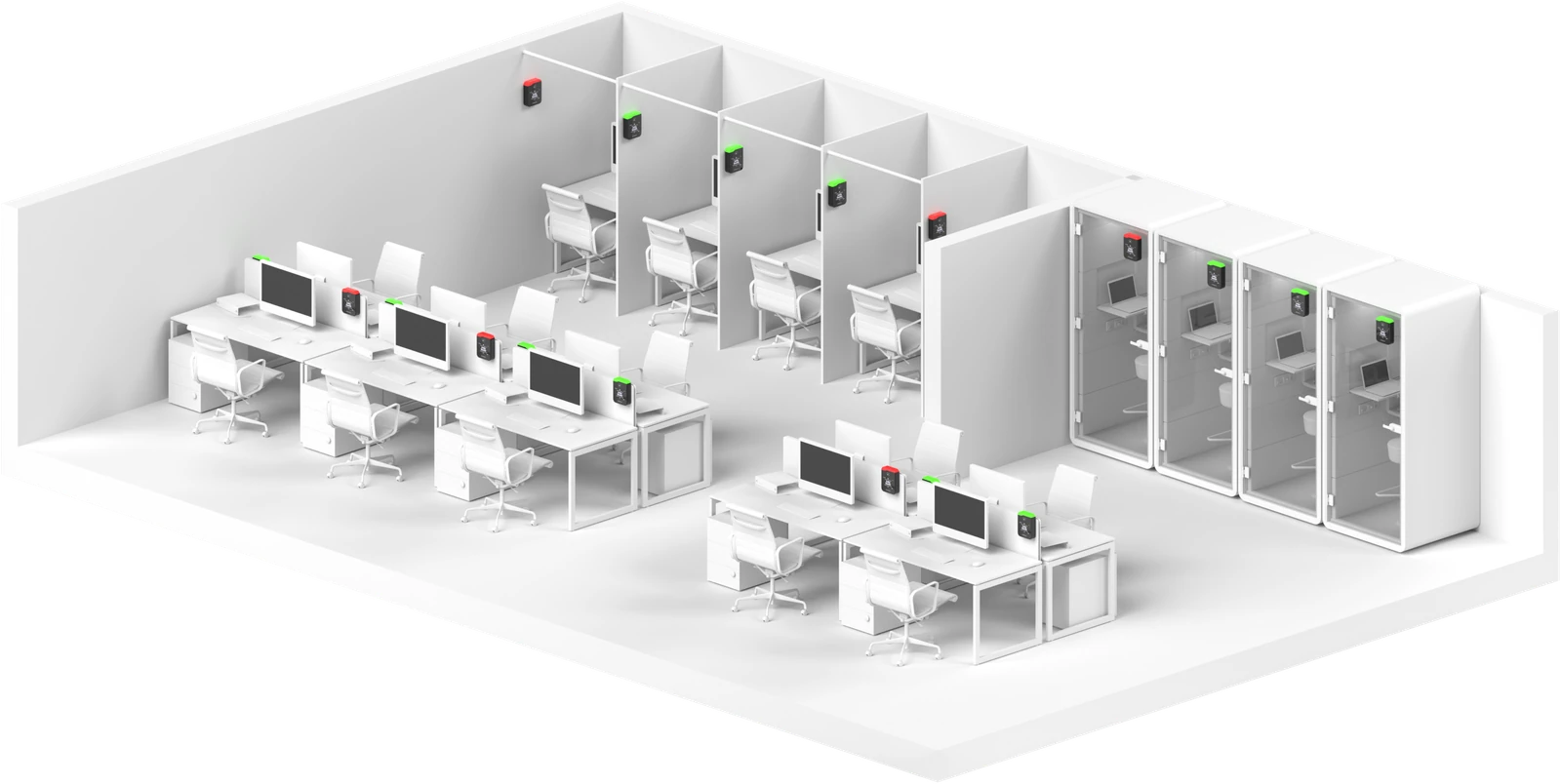
Find your desk.
Put a name to theirs.

The touch screen confirms your reservation when you arrive. Where names are enabled, it shows who booked each desk, so you can find a teammate without asking around.

Tap in and get to work.

Book or check in with the RFID badge you already carry, or with HID Mobile, Apple Wallet or Google Wallet on your phone. QR code and touch cover everyone else.

Plan with better desk data.

A booking isn’t an arrival. Desk check-ins show which reservations led to confirmed arrivals, helping you understand desk demand and make better decisions about your space.

ECC Workplace Insights

Skip

Desk booking integrations

Keep the booking platform you already use. Desk Sign connects with major workplace and desk booking platforms, including Microsoft Places, and shows each reservation at the desk it belongs to.

See all integrations


OfficeSpaceServiceNowEptura
Microsoft Places
ZoomKorbytJohnson ControlsEnvoy
RobinAppspace
22Miles
Skedda
IBM TRIRIGAMapticianAccruent EMSCalven

How Desk Sign works

Employees find a desk, tap to book or check in, and see their reservation on the display.

  1. Find a desk

    Check the status light to see whether a desk is available, reserved, or in use.

  2. Book or check in

    Tap a compatible badge or phone to identify yourself and reserve a desk or check into your booking.

  3. Confirm your booking

    See your reservation details on the touch screen before you settle in.

  4. Check out

    Release the desk when you finish so the next person can use it, with status shared with your booking platform.

Reservation, check-in, release and on-screen details depend on your booking platform, configuration and workplace policies.

Why choose Desk Sign?

Built for the people at the desk, the team that plans the space, and IT.

Evaluating desk booking hardware? Compare Desk Sign, Crestron Desk Touch and Logi Dock Flex.

15,000+

customers supported by Embrava across 32 countries and over one million workspaces.

Company-wide figure across all Embrava products.

For employees

Find a free desk, check in with the badge you already carry, and find colleagues by the desks they have booked.

For workplace and facilities teams

See which reservations turn into arrivals, and give people visiting from other offices an easier day on the floor.

For IT

Check badge and booking platform compatibility up front, and choose Wi-Fi or Ethernet and USB-C or PoE.

One device, every surface.

Five mounts cover walls, glass, metal, desks and partitions. Mounts are sold separately.

Plan your installation
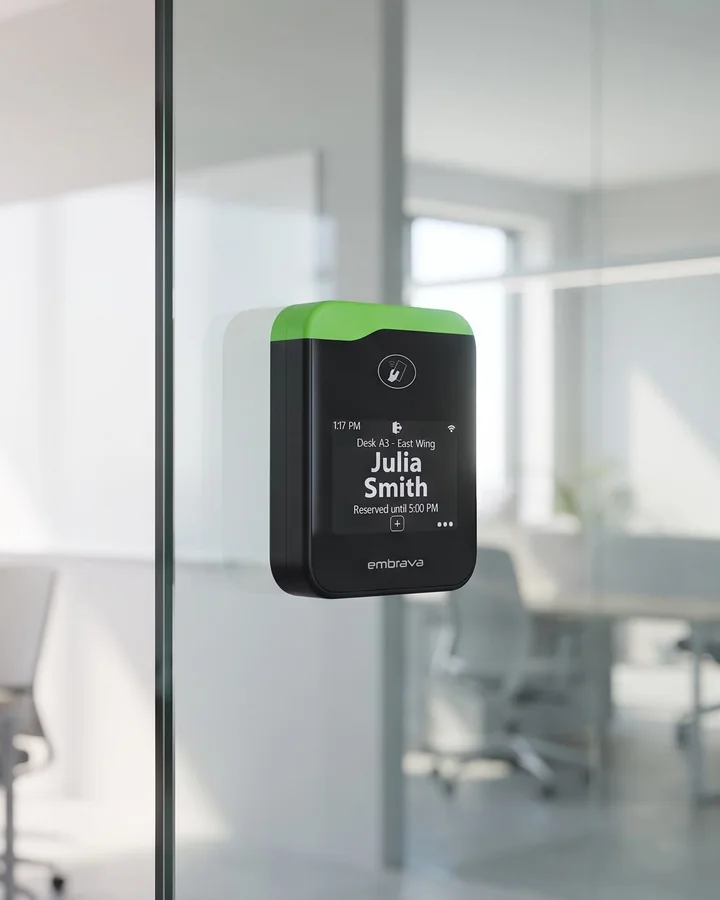
On a vertical surface

Desk Sign on a glass wall with an adhesive strip mount

Adhesive strip mount

Walls, glass and metal

On a desk

Desk Sign on a freestanding mount on a desktop

Freestanding mount

Rests on the desktop

Desk Sign on a steel base plate clamped to a desk edge

Steel base plate

Front or back desk edge

On a partition

Desk Sign on a partition mount over a desk divider

Partition mount

Panels 0.50 in or 0.75 in

Desk Sign on an L‑shaped mount over a partition panel

L‑shaped mount

Panels over 0.75 in

Desk Sign technical specifications

Desk Sign runs on Wi-Fi or Ethernet, draws power from USB-C or PoE, and reads 13.56 MHz and 125 kHz RFID cards.

  • 2.8″

    Touch screen

  • 256

    LED colors

  • Wi-Fi or Ethernet

  • PoE or USB-C

  • RFID badges

  • NFC phones

  • QR code check-in

  • 12

    Alert tones

Network

Wireless
Wi-Fi 802.11 b/g/n
Wired
Ethernet (IEEE 802.3)

Check-in / check-out

RFID
13.56 MHz and 125 kHz RFID cards
NFC
Authentication via iOS and Android smartphones
QR code
QR code check-in from the user's device
Touch screen
Anonymous reservations with a single screen touch

Display

LCD
2.8" 320 × 240 (QVGA) touch screen

Alerts

LED bar
Fully customizable 256-color display for visual alerts
Speaker
Twelve tones with adjustable volume for audio alerts

Power

USB
5V USB power via USB-C (cable included)
Ethernet
Power over Ethernet (PoE) IEEE 802.3af

Mounting

Permanent
Secured to surface with screws
Adjustable
Non-damaging, adjustable mount for partitions and desks
Glass
Designed for glass surfaces

Compliance

Certifications
FCC · CE · RoHS

Desk Sign FAQ

A desk booking display is a small networked screen installed at a desk that shows whether the desk is available, reserved, or in use. Employees reserve or check in by tapping a badge, a phone, or the screen. Desk Sign by Embrava is a desk booking display that connects to your desk booking platform to show reservation status.

A booking app manages reservations; desk booking hardware makes them visible at the desk. Desk Sign adds a status light, reservation details and at-desk check-in to your supported booking platform, so employees can see whether a desk is free and confirm their arrival where they work.

Desk Sign integrates with workplace and desk booking platforms including Microsoft Places, OfficeSpace, ServiceNow, Eptura, Zoom, Robin, Envoy, Appspace, Skedda, IBM TRIRIGA, Korbyt, Johnson Controls, 22Miles, Maptician, Accruent EMS, and Calven. Our team can confirm the right setup for your environment.

Yes. Desk Sign supports Microsoft Places desk booking, so desks booked in Places appear on the display and check-ins at the desk feed back to Places.

Yes. Desk Sign reads 13.56 MHz and 125 kHz RFID cards, so employees tap the badge they already carry. It also accepts HID mobile credentials and Apple Wallet or Google Wallet passes on a phone. Our team can check your badge and mobile credential types before rollout.

Yes. Office hoteling means reserving a desk for the day or hours you need instead of keeping an assigned seat. Desk Sign shows who has booked each hoteling desk, where names are enabled, and lets employees reserve ahead in the booking platform or claim a desk on arrival. The same device supports hot-desking, hoteling, and neighborhood seating.

It helps. At-desk check-in separates reservations from confirmed arrivals, and where your booking platform supports automatic release, desks nobody checks in to go back into the pool for others to book. Desk Sign records check-ins; it is not an occupancy sensor.

Yes. The touch screen supports anonymous reservations with a single tap, and people can also check in with a QR code on their own device. That makes Desk Sign work for walk-up hot-desking, visitors, and contractors, with every booking captured in your desk booking platform.

Try it yourself.

See Desk Sign in person at our
Experience Centers in New York and London.