
Why Do Booked Desks Sit Empty? How to Diagnose and Fix It
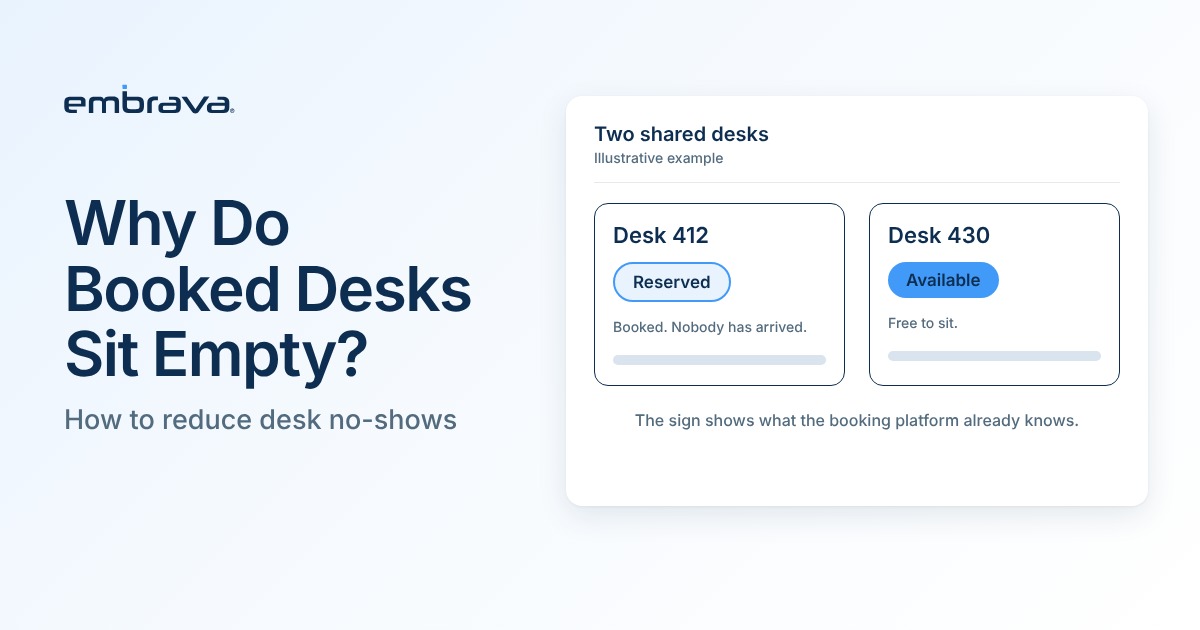
A booked desk sits empty when the plan behind the reservation changes and the reservation does not. Before you fix it, check what you are measuring. A booking with no recorded check-in is not automatically a no-show: the person may have arrived after the check-in deadline, arrived and never checked in, or left early. Separate those situations, change one policy at a time, then measure again.
Illustrative scenario. The people, company and office are invented. They do not describe an Embrava customer, and no number in the scenario is a benchmark.
Tuesday morning, fourth floor
Maya badges in at 9:40. On the train she checked the booking app, and the fourth floor showed full. Her team's planning session starts at half past ten, and she would rather sit with them than dial in from the kitchen.
The floor does not look full. Desk 412, two seats from her team, has a clear surface, a docked monitor and nobody in the chair. So do 413 and 422.
She can sit at 412 and risk being asked to move. She can ask the people nearby, who do not know either. Or she can take a stool in the kitchen and join on her laptop. She picks the kitchen.
Dan, who booked 412, is home with a sick child. He set up a recurring Tuesday booking in March and has not thought about it since.
On Friday, Priya, who runs workplace operations, opens the weekly report. Tuesday: 96% of desk hours booked. Two teams have asked for more space, and she starts drafting a request to open part of the third floor.
Dan knew he was not coming, and the booking platform knew 412 was his. Maya, standing next to the desk, knew neither. Priya's report cannot say whether 412 was a no-show, an early departure or a desk someone used without checking in. It says only that the desk was booked.
What does it mean when a booked desk is empty?
Four situations produce an empty booked desk. They leave different traces in your data and call for different responses, so name them before you choose a fix.
| Situation | What happened | What to look at | Likely response |
|---|---|---|---|
| True no-show | The person did not use the desk at any point during the reservation. | Evidence that covers the whole reservation, such as continuous sensor data or the person's own account. | A release rule with a warning, reminders, and limits on recurring bookings. |
| Late cancellation | The booking was cancelled, but too late for anyone else to use the desk. | The cancellation time in your booking platform, compared with the booking start. | An earlier reminder with a one-step way to release the desk. |
| Early departure | The person arrived and left before the end of a full-day booking. | A check-in exists, but a sensor reading or floor count shows the desk empty later. | Half-day booking options. Release at departure, if your platform supports it. |
| Arrival without a recorded check-in | The person used the desk but never checked in, or arrived after the check-in deadline. | No check-in by the deadline, but a sensor reading, a floor count or the person's own account shows presence later in the reservation. | Make check-in easier to find and quicker to do. Do this before any rule that releases unconfirmed bookings, which would release desks that are in use. |
If the evidence cannot separate a true no-show from a missed check-in, a late arrival or an early departure, classify the booking as unconfirmed. If your organization does not use check-in yet, booking data alone cannot split the gap into these groups. A short floor audit is the cheapest place to start.
Why do booked desks sit empty?
These explanations are common in workplace operations. Treat them as hypotheses to test in your own data.
- Recurring bookings that outlive the routine. A weekly booking made in spring can still hold the desk in autumn, after the person's office days have changed.
- Full-day bookings for partial days. If most desk bookings run the whole working day, a morning-only visit leaves the afternoon desk unused although nobody was a no-show.
- Booking as a precaution. When the busiest day fills up, some people may book earlier, or book more days than they need. Your booking history can show it: look for people who book several days and attend fewer.
- No view of the booking at the desk. The reservation lives in an app. A person standing at a desk often cannot see whether it is reserved, so a booked desk and a free desk can look the same.
A ghost booking is a reservation that keeps holding a desk nobody is using, whether the person never came or left early. What Is a Ghost Booking? covers the term and its other causes.
Why does the gap matter most on busy days?
One held desk on a quiet Friday costs little. It costs more on the busiest days.
- In its 2026 occupancy research, CBRE reports that 73% of respondents name Tuesday as their highest attendance day. That is a survey answer from CBRE's client base (the study's client data represents 303 million square feet), not measured attendance for the market as a whole.
- A booking rate shows intent, not use. JLL's 2026 benchmark report notes on page 17 that building badge data cannot tell you which seats people used, and that space-level measurement needs reservation, sensor or video data. Reservation data still shows what was booked, so read it next to check-ins and measured occupancy before it drives a space decision.
To see how to calculate desk utilization and compare it with benchmarks, read Desk Utilization Benchmarks 2026.
How do you measure the gap between booked and used?
Name each measure for what it counts. The terms below are working definitions for this article, not industry standards. The check-in deadline is the time by which people are asked to confirm arrival. The reservation period is the full time the desk is booked. A person who misses the deadline may still arrive later, so missing it does not show that the person never came.
| Measure | How to calculate it | What it shows | What it cannot show |
|---|---|---|---|
| Booking rate | Booked desk hours divided by available desk hours, multiplied by 100, for a given day. | Demand expressed through the booking system. | Whether anyone sat at the desk. |
| Unconfirmed booking rate | Bookings with no recorded check-in by the check-in deadline, and not cancelled before it ÷ all bookings in the window. | How many bookings lack a confirmation by the deadline. | Whether the person arrived later, arrived without checking in, or never came. |
| Confirmed no-show rate (sample finding) | Bookings in your assessed sample with evidence that the desk was not used during the whole reservation ÷ bookings assessed in the sample. | A defensible no-show share for the sample you assessed. | The rate for all bookings. Report it as a sample finding with the number assessed. |
| Desks used | Desks found occupied at the moments you observed, from sensors or counted walk-throughs. | Use at those moments. | Whether a desk was unused throughout the reservation, or which booking belonged to each desk. |
Define the measurement window before you count. A workable start is four typical weeks, reported by weekday, leaving out holidays and office events. Four weeks is a starting point, not a standard. Assess each booking over its full reservation period. If you have no check-in deadline yet, use a time by which most people with a desk booking have arrived (see the check-in section below).
Periodic floor counts show whether a desk was occupied at the moments you counted. They cannot show that it was unused throughout the reservation, because the hours between counts are not observed. Treat them as evidence of presence, not as proof of absence.
How do you reduce desk no-shows? A five step sequence
Work in order. Most of the value comes from knowing which of the four situations is largest before you change a rule.
- Baseline. Calculate the booking rate and the unconfirmed booking rate by weekday for the measurement window. Add two or three floor counts on your busiest weekday, at fixed times such as mid-morning and mid-afternoon.
- Find the causes. On that weekday, draw a random sample of about 40 bookings from the complete booking history for the window, including bookings with a recorded check-in, unconfirmed bookings and cancellations. Sort each assessed booking into the four situations above, using sensor data, a floor count or the person's own answer. Without sensors, ask the person who booked whether and when they used the desk. Leave a booking unconfirmed where the evidence cannot separate the situations. Unconfirmed bookings are one subset of the sample. You are looking for the largest group, not a perfect count. Report each group as a share of the bookings you assessed, and label it a sample finding.
- Adjust one policy. Choose the change that matches the largest group (table below). Changing several rules at once makes it impossible to tell which one worked.
- Communicate. Tell people what is changing, when it starts and what to do if they arrive late.
- Review. Repeat the same measurement for four typical weeks, with a new sample drawn the same way, and compare it with the baseline. If the gap has not narrowed, check your sample again before adding another rule.
| Largest group in your assessed sample | Policy to adjust | Watch for |
|---|---|---|
| Recurring bookings that no longer match the person's routine | End dates on recurring bookings, or a quarterly request to reconfirm them. | People losing a desk they still use. Make reconfirmation one step. |
| Late cancellations | A reminder the afternoon before, with a one-step way to release the desk. | Reminders people stop reading. Keep them short. |
| Early departures | Half-day booking options. Ask people to release the desk when they leave, where your platform supports it. | Whether your platform offers partial-day bookings. |
| Arrival without a recorded check-in, or after the deadline | Make check-in easier to find and quicker to do, and set the check-in deadline after most people have arrived. | A release rule applied first would release desks that are in use. |
| True no-shows | A release rule for unconfirmed bookings, with a warning before release, where your platform supports it. | Late arrivals. See the check-in window below. |
| Bookings you cannot classify | Gather better evidence first, such as a floor count earlier in the day or a question to the person. Keep them unconfirmed. | Releasing unconfirmed bookings as if they were no-shows. |
How long should a desk check-in window be?
The check-in window is the time after a booking starts in which people are asked to confirm arrival, and its end is the check-in deadline. There is no standard length, and the answer for desks often differs from rooms. A meeting starts at a fixed time. A desk booking often covers the whole day, and people may arrive across two or three hours. A 15-minute window after a 9:00 booking start would release the desk of anyone who arrives at 9:30.
- Start from your own arrivals. Look at a few weeks of arrival times for your busiest weekday, from check-ins or, where your privacy policy allows, badge entry, and find the time by which most people with a desk booking have arrived.
- End the window after that time. A window that closes while many people are still arriving releases desks that would have been used.
- Warn before you release. If your platform can notify people shortly before a release, turn it on.
- Decide what late arrivals do. Someone whose desk was released and who arrives later should be able to book any available desk, with no penalty.
- Keep exceptions. People who need a specific desk, for an accessibility need or particular equipment for example, may need bookings that are never released. Decide who qualifies before the rule starts.
- Review after a month. If many released bookings belong to people who arrived later, the deadline is too early.
What should a desk status sign show?
A person at a shared desk needs one answer in the time it takes to put a bag down: can I sit here? A desk status sign answers with a few states taken from the booking platform.
- Available: free to use.
- Reserved: booked.
- In use: the desk is being used, as the booking platform reports it.
Where does Desk Sign fit, and what does it not do?
Desk Sign is Embrava's display for shared desks. Connected to a supported desk booking platform, it shows each desk's booking status at the desk, using states such as Available, Reserved and In Use. Where names are enabled it can show who booked, and reservations can also be anonymous. Where the booking platform and credentials are set up for it, people can check in at the desk with a compatible badge or phone.
| Job | Where it happens |
|---|---|
| Reservations, release rules, reminders and booking reports | Your booking platform, which stays the system of record. |
| Showing a desk's status at the desk and accepting check-in | Desk Sign, using the booking platform's data. |
| Measuring whether a desk is occupied through the day | Separate sensors or counted observations. Desk Sign does not measure occupancy. |
Tuesday, run again
Still illustrative. The setup below is assumed, not drawn from real data.
Priya measures four typical Tuesdays before she asks for more space. The booking rate is high, as the report said. She draws a sample from the complete booking history for those Tuesdays, including bookings with a recorded check-in, unconfirmed bookings and cancellations, and assesses each one, leaving a booking unconfirmed where her evidence cannot tell a no-show from a missed check-in or a late arrival. In this scenario, most of the bookings she could classify were true no-shows, people whose plans changed and who never came, so she introduces one release rule: check in by 10:00, a reminder at 9:45, and no penalty for anyone who arrives later and books an open desk. Two colleagues who need a specific desk stay outside the rule. She tells staff two weeks before it starts.
On the next Tuesday at 9:40 the sign on 412 says Reserved, so Maya does not have to guess and she stays with her team. Dan, still at home, does not check in, and if the rule runs as Priya set it, 412 is released at 10:00 and the sign shows it as available. Maya sits down two seats from her team before the session starts at half past ten.
On Friday, Priya's report shows three numbers for that Tuesday: desk hours booked, bookings with a recorded check-in and, from two floor counts, desks in use at 10:30 and 2:30. She will compare four more Tuesdays with her baseline before she decides anything about the third floor.
Frequently asked questions
Talk with an expert
Bring your booking platform and one week of booking data, and we can walk through which situations you are likely to have and what a status sign at the desk would add. Talk with an expert or explore Desk Sign.
Related reading
- What Is a Ghost Booking?
- Desk Utilization Benchmarks 2026
- Why Do Booked Meeting Rooms Still Sit Empty?