
What Is a Busy Light? How Status Lights Work With Microsoft Teams and Zoom
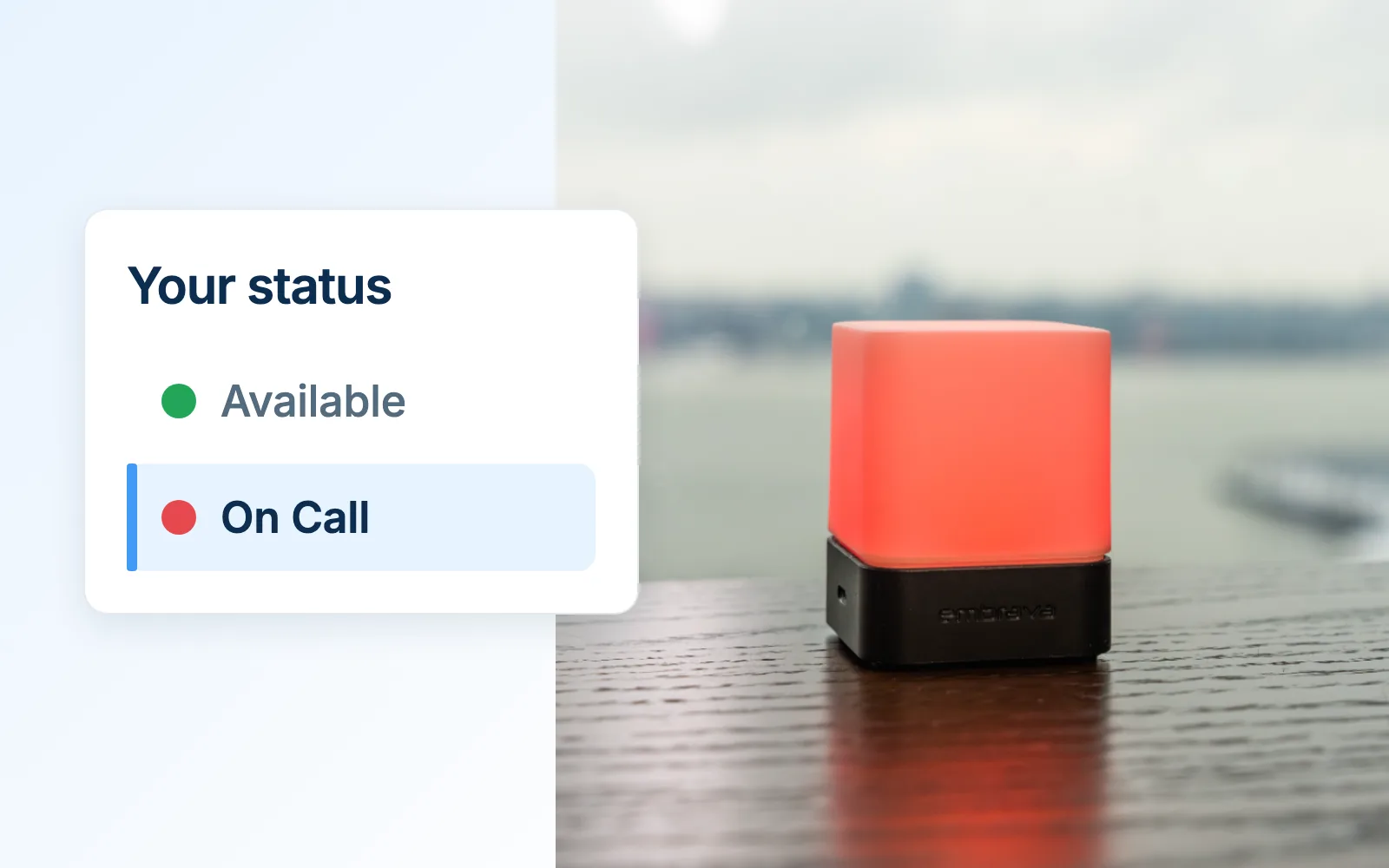
A busy light is a small status light on or near a desk that shows whether someone is available, busy, on a call or not to be disturbed. Many connect to a computer and change automatically based on the person’s status in collaboration tools such as Microsoft Teams and Zoom.
The idea is simple. Your collaboration tools already know when you are on a call. The person walking up to your desk does not. A busy light puts that existing signal where people can see it, so they can decide whether to interrupt without having to ask.
Why do people use a busy light?
Interruptions are a regular part of work. Some arrive on a screen; others walk up to your desk.
Microsoft’s Work Trend Index (June 2025) found that the most heavily pinged employees, the top 20% by volume in aggregated Microsoft 365 data through February 2025, are interrupted by a meeting, email or chat every two minutes during core hours. A controlled study of 48 people published at CHI 2008 by Gloria Mark, Daniela Gudith and Ulrich Klocke found that people completed interrupted tasks faster but reported more stress, frustration, time pressure and effort.
Individual work still makes up a large share of the workday. Gensler’s 2026 Global Workplace Survey of more than 16,400 office workers in 16 countries found that employees spend 39% of their time working alone, while 55% of the typical workweek is spent in the office.
A presence dot in a chat app is invisible to someone standing nearby. A colleague walking over, a manager on the floor or a family member at home sees nothing. That is the gap a busy light fills.
How does a busy light know my Teams status?
Microsoft Teams already tracks presence. According to Microsoft’s documentation (updated July 2026), Teams sets states such as Busy, In a call, In a meeting, Presenting and Focusing automatically, based on your activity, your calls and meetings in Teams and your Outlook calendar. You can also set some states yourself, such as Do not disturb or Be right back.
A busy light does not create that status. It reflects it. Typically, a small companion app on your computer reads your status from supported applications and changes the light to match. When a Teams call starts, the light changes. When it ends, the light changes back.
Does a busy light work with Zoom?
It depends on the light and its software. Support varies by application and by operating system, and a light that works with Teams on Windows may not support the same applications on a Mac. Before you buy, check the vendor’s list of supported applications for the operating system you use.
Do I need software for a busy light?
Usually, yes. Automatic status changes come from a companion app that runs on your computer and talks to your collaboration tools. Check whether the app is free, whether it supports your operating system and whether your IT team needs to approve it before installation.
Is a busy light useful at home?
At home, a busy light addresses a familiar problem. A shared home office, a kitchen table or a spare room may offer no clear way to show that you are on a call. A light that changes when a meeting starts gives others in the household a cue without anyone having to knock or ask.
How do contact centers use status lights?
In a contact center, agents often sit close together on a floor. There, being able to see who is on a call can help colleagues avoid interrupting a customer conversation. For contact centers, the key question is whether the light works with the contact center software agents use, not only with general collaboration tools.
What a busy light does not do
A busy light does not stop interruptions on its own. It gives people the information to decide, and it tends to be more useful when a team agrees what each status means and respects it. It also can only show what your applications know: if your calendar is out of date or you forget to end a call, the light will reflect that too.
A busy light also answers a different question from a desk booking display. A busy light shows a person’s availability: whether you can talk to them right now. A desk display such as Desk Sign shows whether a desk is available, reserved or in use. One is about the person; the other is about the space.
Blynclight compatibility by operating system
Blynclight is Embrava’s USB status light. It works with the free Embrava Connect desktop app for Windows and macOS, which reads your status from supported applications and changes the light for states such as Available, Busy, On Call and Do Not Disturb.
Application support differs by operating system:
| Application | Embrava Connect for Windows | Embrava Connect for Mac |
|---|---|---|
| Microsoft Teams | Supported | Supported |
| Zoom | Supported | Supported |
| Cisco Jabber | Supported | Supported |
| Slack | Supported | Not listed |
| Cisco Webex Teams | Supported | Not listed |
| Cisco Finesse | Supported | Not listed |
The Windows app lists further applications. See the current list and download Embrava Connect from the Embrava support page.
About Blynclight
Blynclight plugs into a computer by USB (USB Micro-B, 5V). Colors and brightness can be customized, so a team can match the light to the conventions it already uses.
Contact center teams use Blynclight with Cisco Finesse on Windows to make agent status visible on the floor. Knowledge workers and hybrid workers use it to show when they are on a call or focusing, in the office or at home.
Next step: See how Blynclight shows your Teams or Zoom status at your desk.
Frequently asked questions
Sources
- Microsoft WorkLab, Breaking Down the Infinite Workday (Work Trend Index special report), June 17, 2025. Aggregated Microsoft 365 signals, rolling 28-day sum of pings per user per workday, top 20% of users by ping volume, data ending February 15, 2025, excluding education and EU tenants.
- Mark, G., Gudith, D. and Klocke, U., The Cost of Interrupted Work: More Speed and Stress, Proceedings of CHI 2008. Controlled experiment, 48 participants.
- Gensler, Global Workplace Survey 2026 (press release March 10, 2026). 16,459 full-time office workers at organizations with 100+ employees in 10 industries, 16 countries, anonymous panel survey fielded July 22 to September 12, 2025. Figures used: 39% of time working alone; 55% of the typical workweek in the office.
- Microsoft Learn, Manage user presence in Teams, last updated July 16, 2026.
- Embrava support page, Embrava Connect for Windows 5.5.41 and Mac 4.2.15 supported application lists, checked October 2, 2026.