
What Is Microsoft MDEP? A Guide for Workplace Technology Teams
What Microsoft’s Device Ecosystem Platform does, where it stops, and what to evaluate before you standardize the devices in your building.
Microsoft MDEP (Microsoft Device Ecosystem Platform) is Microsoft’s Android-based platform for enterprise devices. Built on the Android Open Source Project (AOSP), it gives manufacturers a common foundation for device identity, security, and updates, managed through Microsoft Intune and Entra ID[1][2]. MDEP began with Microsoft Teams Rooms devices and expanded into digital signage in 2025[3].
MDEP is a foundation, not a finished product. The hardware, applications, integrations, and support behind each device still come from the manufacturer and solution provider.
Why MDEP comes up in device decisions
When organizations roll out MDEP-based Teams Rooms devices, a fair question follows: should every other device in the building run MDEP too?
MDEP solves a real problem well. But certified Teams Rooms hardware has different requirements from room signs, desk signs, status lights, and workplace displays. The right choice depends on what each device needs to do.
How Microsoft MDEP works
Microsoft provides the core platform, and hardware partners build it into their devices. MDEP is designed to be extended and customized, so manufacturers and solution providers can add their own features[1]. Core capabilities include:
- Hardware-based device attestation using Microsoft’s public key infrastructure (PKI)[1]
- A hardware-backed identity and integrity layer, established before the operating system and apps run[2]
- Built-in management and security through Microsoft Intune and Microsoft Entra ID[2]
- Policy enforcement throughout the device lifecycle[2]
Microsoft extended MDEP from meeting rooms to digital signage at InfoComm 2025[3]. In January 2026, IAdea, MediaTek, and Microsoft announced the first digital signage solution built on MDEP[4], and partners demonstrated MDEP signage at InfoComm 2026[5].
What MDEP doesn’t decide, and who does
MDEP secures and manages the device. It doesn’t determine the experience people get from it. That depends on the hardware, the applications, the systems the device connects to, and the support behind it.
“A secure device is the foundation. The experience succeeds when the room is also telling the truth.”
MDEP uses an ecosystem model: Microsoft provides the platform, a manufacturer builds the device, and a solution provider may deliver the experience on top. That gives you choice across manufacturers, but it spreads responsibility across several companies. Embrava owns every layer of its own devices.
Who owns what
| Layer | MDEP-based device | Embrava device |
|---|---|---|
| On-device foundation | Microsoft MDEP | Embrava DeviceOS |
| Hardware | Device manufacturer (OEM) | Embrava |
| Applications | Microsoft, the OEM, or a solution provider | Embrava |
| Management and integrations | Microsoft tools such as Intune, plus vendor tools | Embrava Connect Cloud |
| Support | Varies by vendor | Embrava |
When something doesn’t work as expected, ask one question: who owns the answer?
How to evaluate a workplace device solution: 7 questions
Use these questions to compare any device solution, MDEP-based or not.
- 1
What are you selecting?
An operating layer, a complete device solution, or both. Match it to the device category.
- 2
What must the device deliver?
Look past security and updates to booking accuracy, room availability, desk discovery, wayfinding, and presence.
- 3
Who owns each layer?
Name who is responsible for hardware, identity, network access, updates, apps, integrations, and support.
- 4
Which systems must it connect to?
List every workplace, booking, collaboration, and sensor platform you use, such as Microsoft 365, Microsoft Places, Google Workspace, and Zoom.
- 5
How will you manage the fleet?
Ask about configuration, staged updates, remote diagnostics, and network changes.
- 6
How much control do you need?
Decide whether devices must reflect your brand, spaces, and workflows.
- 7
What can the vendor prove?
Ask for evidence behind every security, integration, and lifecycle claim.
Where Embrava DeviceOS fits
Embrava DeviceOS is the on-device identity, configuration, and update layer across Embrava’s portfolio: Any Sign, Room Sign, Desk Sign, and Blynclight.
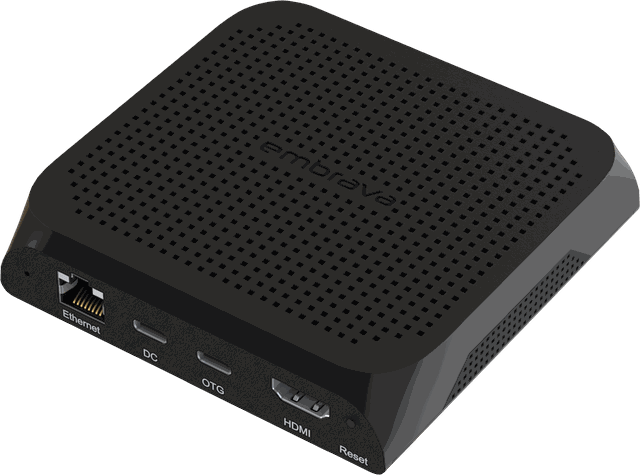 Any SignWayfinding and lobby signage
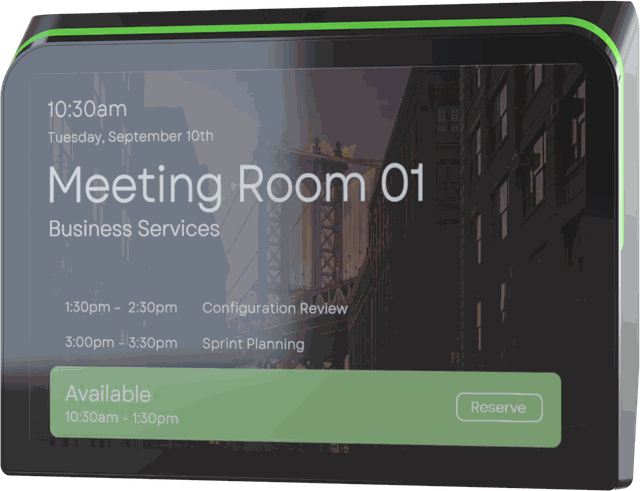 Room SignMeeting room status and booking
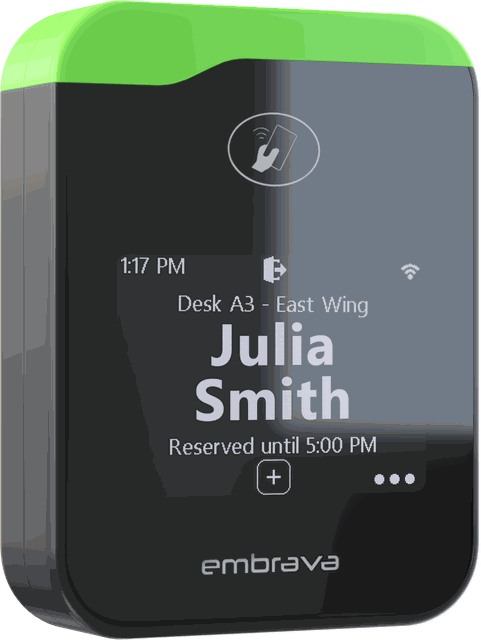 Desk SignDesk booking and findability
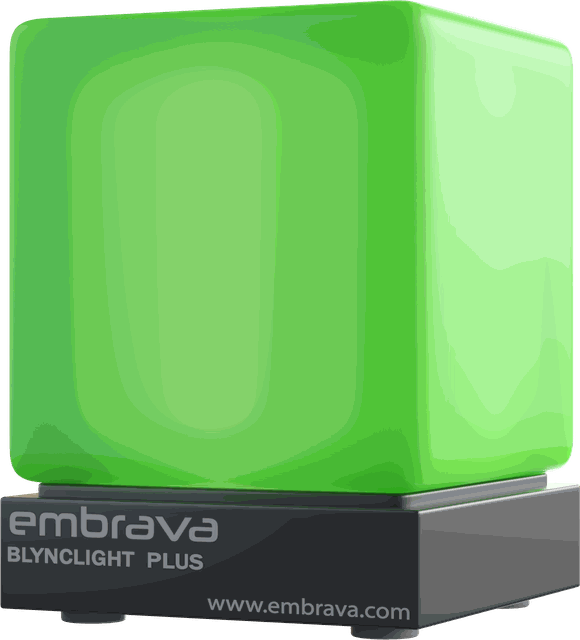 BlynclightPresence and status at the desk
Embrava Connect Cloud is the platform around it. It provides the management console, workplace applications, and integrations with Microsoft 365, Google Workspace, Zoom, and a growing range of booking and sensor platforms.
Embrava designs and supports the hardware, DeviceOS, and Embrava Connect Cloud, so one company is accountable for the whole experience. Embrava supports more than 15,000 customers across 32 countries and over one million workspaces.
Can MDEP and Embrava DeviceOS work together?
Yes. They solve different problems. A certified Teams Room running MDEP can operate in the same building as Embrava room signs, desk signs, status lights, and displays. Both connect to your Microsoft 365 environment, and each keeps its own identity, management, network, and security controls.
The two overlap most in digital signage. There, compare complete solutions (hardware, applications, integrations, management, and support) rather than the operating layer alone. For a side-by-side view, compare Embrava DeviceOS and Microsoft MDEP.
The decision isn’t which company should power every device. It’s which option fits each one.
Frequently asked questions
- [1]Microsoft Learn, “Microsoft Device Ecosystem Platform Overview”.learn.microsoft.com/en-us/mdep/overview
- [2]Microsoft Learn, “MDEP Architecture Overview”.learn.microsoft.com/en-us/mdep/architecture/
- [3]invidis, “MDEP: Microsoft Breaks New Ground in Digital Signage” (July 2025).invidis.com/news/2025/07/mdep-microsoft-breaks-new-ground-in-digital-signage/
- [4]IAdea, “IAdea, MediaTek, and Microsoft Announce the World’s First Digital Signage Solution Built on MDEP” (January 2026).iadea.com/iadea-mediatek-mdep-digital-signage/
- [5]invidis, “InfoComm 2026: Avocor and IAdea Bring MDEP Strategy to the Show” (June 2026).invidis.com/news/2026/06/infocomm-2026-avocor-and-iadea-bring-mdep-strategy-to-the-show/