
How Does Desk Check-In Work? Badge, RFID, NFC and QR Explained for IT
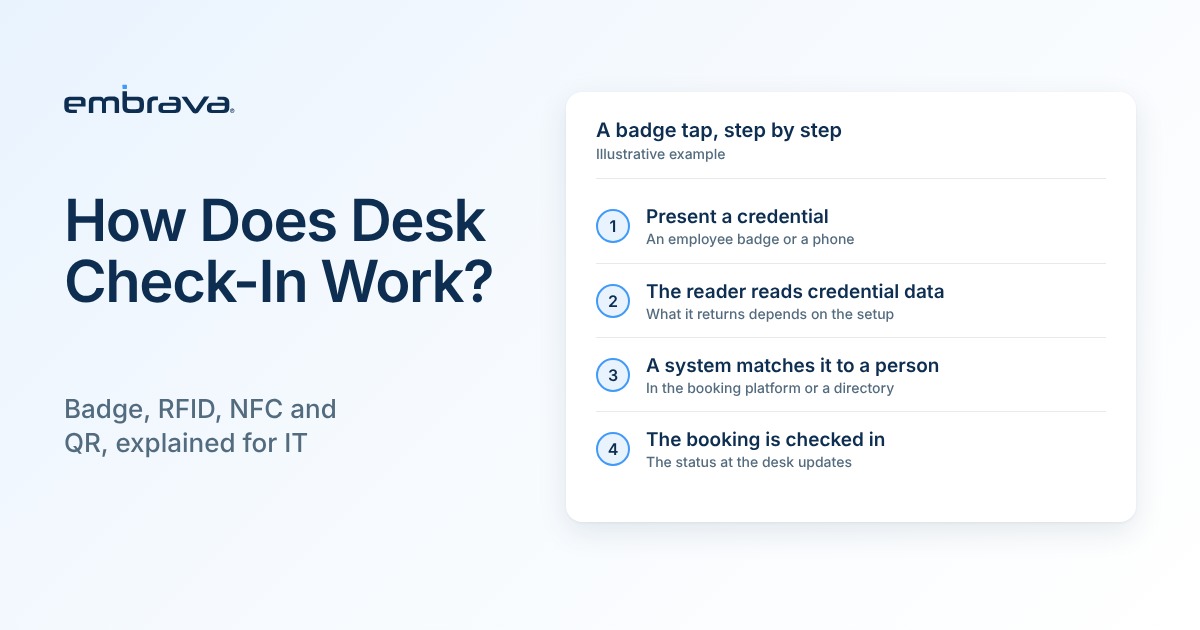
A badge tap takes a second. The work that makes the tap find a booking takes much longer, and IT usually ends up owning it. Take someone who books Desk 12 for tomorrow, arrives, sits down and opens a laptop. The booking system still lists them as not yet arrived, because nothing has told it they are here. Desk check-in closes that gap, and how it does so depends on the method.
Illustrative scenario. Not a customer account.
The short answer
Desk check-in confirms that a person who booked a desk has arrived. The person either presents a credential to a reader at the desk (a badge or a phone) or uses their own phone to scan a QR code. In a badge tap, the reader passes credential data to a booking or identity system, which matches it to a person and a reservation. The tap is the quick part. The matching is where the setup decisions sit, and matching a radio frequency is not enough to know a badge will work.
Which desk check-in methods are there?
| Method | What the person does | What the desk or reader needs | What IT should confirm |
|---|---|---|---|
| RFID badge | Taps an employee badge on the desk display. | A reader that supports the badge technology. Desk Sign reads 125 kHz and 13.56 MHz RFID badges where that badge type is enabled. | Badge technology, data format and where each badge number is stored against a person. |
| Mobile credential app | Taps a phone running the badge provider's credential app. | A reader that supports NFC and a credential on the phone. | How the phone credential is issued, and whether the booking platform recognizes it. |
| Wallet badge | Taps a phone with an employee badge in Apple Wallet or Google Wallet. | A reader that accepts wallet credentials, and a mobile credential program run by the employer. | Whether your employer already issues wallet badges and which readers the program supports. |
| QR code | Scans a QR code with their own phone. | A code the person can scan and a booking app on the phone that accepts it. Support depends on the booking platform. | Whether your booking platform supports scan check-in, where the code appears and whether it requires a login on the phone. |
Support for each method depends on the booking platform and on how your credentials are set up. Ask your vendor to confirm each one for your environment.
How does QR check-in work at a desk?
The person scans a code posted at the desk with their own phone, using the booking app or the phone camera, which opens the app. Several desk booking platforms document this pattern, for example Zoom Workspace Reservation. Desk Sign supports QR check-in from a personal device where the booking platform supports it. Where the code appears and what the phone needs vary by platform, so ask your vendor to confirm both for your environment.
What happens when someone taps a badge at a desk?
- The person presents a credential. That can be an employee badge or a phone with a digital badge.
- The reader reads credential data. Depending on the credential and how the reader is configured, that data can be the card's serial number or a number programmed into the card, sometimes with a facility or site code. Baltech and Genetec both document that a reader can return either one depending on configuration. It is not the person's name or calendar.
- A system matches the data to a person. The booking platform, a directory or another system holds the link between badge data and a person. Where that link lives depends on the platform. ServiceNow, for example, maps a badge ID to a user, with a facility code field.
- The booking platform decides what happens to the reservation. If the person has a matching reservation, the platform records the check-in, and the display can show the new status, for example from Reserved to Checked In.
With Embrava Desk Sign, the reader at the desk reads the credential and passes it on to be matched to a person and a booking. What happens to the reservation after that, including check-in and release, depends on your booking platform, its configuration and your workplace policies.
What is the difference between RFID and NFC?
RFID, or radio frequency identification, is the broad term for reading a tag or card with radio waves, and badges come in different frequency bands. NIST's guidelines for securing RFID systems note that low frequency tags commonly operate at 125 or 134 kHz in the US, and high frequency tags at 13.56 MHz. NFC, or near field communication, works at 13.56 MHz and is built for taps at short range. The NFC Forum gives a typical range of up to about 2 centimeters. Phones with NFC can present a credential to a reader that supports it, and many contactless badges use the same band.
Will my existing badges work? Why matching the frequency is not enough
Frequency is one layer. A badge and a reader can share a frequency and still fail to work together, because the credential also has to match on other layers. NIST's RFID guidance notes that the tag and the reader must follow the same standard, and IdentiSys notes that a card can use the correct technology and still be rejected if its format is wrong or it is not enrolled in the system.
| Layer | Question to ask | Why it matters |
|---|---|---|
| Technology and protocol | Does the reader support this badge technology, and is it enabled in the reader's settings? | A reader responds only to the technologies it supports and has turned on. |
| Data format and site codes | Which card format and facility or site codes do the badges use, and does the system expect the same ones? | The same bits mean different things under different formats, and systems reject data that does not match what they expect. IdentiSys lists format and enrollment among the reasons a card and a reader fail to work together. |
| Keys and reader settings | Do badge and reader share the security keys they need? Is the reader's firmware current? | Some badge types need matching keys, and a reader without them may not respond. |
| Which number the reader returns | Does the reader return the card's serial number or a programmed credential number? | The number must match what is stored against the person. NXP treats a chip's unique ID, used when the card is activated, separately from the number used as a back end reference. |
| The matching record | Is each badge number stored against the right person, and is that person known to the booking platform? | A tap can be read correctly and still find nobody. |
The practical answer is a pilot. Take a handful of each badge type your employees carry, include any from other sites or older issues, and test them on one reader with your real booking platform before you buy. Counting badges by frequency will not catch most of these problems.
Can a phone replace the badge?
Where your organization runs a mobile credential program, often yes. Apple says the employer must participate and provide an app for adding the badge, and that Express Mode is on by default so a person can hold the device near a reader without opening Wallet. Google describes Corporate Badges as NFC-enabled digital cards where the workplace is the card issuer, and says they need NFC-enabled readers and a provider's app.
Desk Sign supports Apple Wallet and Google Wallet credentials where your organization runs a mobile credential program. The practical question is whether your employer already issues them, so talk with your badge provider early and ask which readers the program supports.
What if someone does not have a badge?
Two fallbacks cover most cases. A person can check in by scanning a QR code with their own phone, where the booking platform supports it. The Desk Sign touchscreen also supports anonymous reservations, which suits visitors and contractors.
What does a desk check-in tell you?
A check-in tells you that a booking led to a recorded arrival at that desk. It does not tell you how long the person stayed or whether they were there all afternoon, and it is not an occupancy measurement. That distinction matters when you read your numbers. What Is a Ghost Booking? explains how to measure bookings that never check in, and Desk Utilization Benchmarks 2026 covers what utilization figures measure and what they miss.
What should you check when a tap does not work?
Start at the reader and work toward the booking. These are checks to investigate, drawn from vendor and integration documentation. They are not a diagnosis of any one product, so confirm with your vendors where each log or status lives.
| What you see | Checks to investigate |
|---|---|
| The credential is not recognized |
|
| The badge is read, but no matching reservation is found |
|
| The tap works, but the status does not update |
|
Does desk check-in raise privacy and security questions?
Any system that links a credential to a person deserves a privacy review. Agree what is recorded (usually a time, a desk and a person), who can see it, how long it is kept and whether it is ever combined with building access records. A desk check-in confirms a booking rather than opening a door, so match the level of control to that risk, and let your security team decide what is acceptable in your environment.
Biometric check-in is outside the scope of this article. If a vendor proposes it, note that the UK Information Commissioner's Office advises employers to consider less intrusive alternatives such as swipe cards or PINs first, and to record why. That guidance applies in the UK, was last updated in June 2024 and is marked under review, so check the rules where you operate. This is general information, not legal advice.
What should IT confirm before deployment?
- Which badge types, technologies and formats employees carry today, including any from other sites.
- Which number your reader returns and where each badge number is stored against a person.
- Whether a person's identity matches between your access system and your booking platform.
- Whether a mobile credential program is in place, if you want phone badges, and which readers it supports.
- How your booking platform handles check-in windows and release.
- How visitors, contractors and people who forgot a badge will check in.
- Whether you can test sample badges on a reader with your real booking platform before you buy.
- What your privacy and security teams need to approve.
Where does Embrava fit?
Desk Sign is a display at the desk that shows booking status and accepts check-in, using your booking platform's data. For one example of how a booking platform and desk hardware connect, see how Embrava Desk Sign works with YAROOMS. To manage desk devices across locations, Embrava Connect Cloud gives IT one place to configure them.
Frequently asked questions
Talk with an expert
Bring your badge type and your booking platform, and we will walk through how check-in would work in your environment. Talk with an expert or visit an Experience Center in New York or London to try a Desk Sign in person.
Related reading
- What Is a Ghost Booking?
- Desk Utilization Benchmarks 2026
- Embrava and YAROOMS Bring Desk Booking into the Office
Sources
- NIST SP 800-98, Guidelines for Securing Radio Frequency Identification Systems (April 2007)
- NFC Forum, NFC Technology
- IdentiSys, Why Your New Card Isn't Compatible with Your Reader (August 5, 2026)
- NXP AN10927, MIFARE product and handling of UIDs (Rev 4.1, July 2018)
- Baltech, Troubleshooting card read results
- Genetec, HID OMNIKEY reader integration, CSN credentials (updated September 2, 2026)
- ServiceNow, Define a user badge configuration (Xanadu release, August 1, 2024)
- Apple Support, Add your employee badge to Apple Wallet (December 16, 2025)
- Google for Developers, Google Wallet Corporate Badges overview (updated July 24, 2025)
- Zoom, Workspace Reservation field guide, User experience
- Genetec, Security Center Administrator Guide 5.13, Troubleshooting cards not working at readers (updated October 30, 2026)
- UK ICO, Can we use biometric data for time and access control and monitoring? (updated June 6, 2024; under review)
- Embrava, Desk Sign (live product page)