
Meeting Room Booking System: How Room Displays Work With Your Booking Software
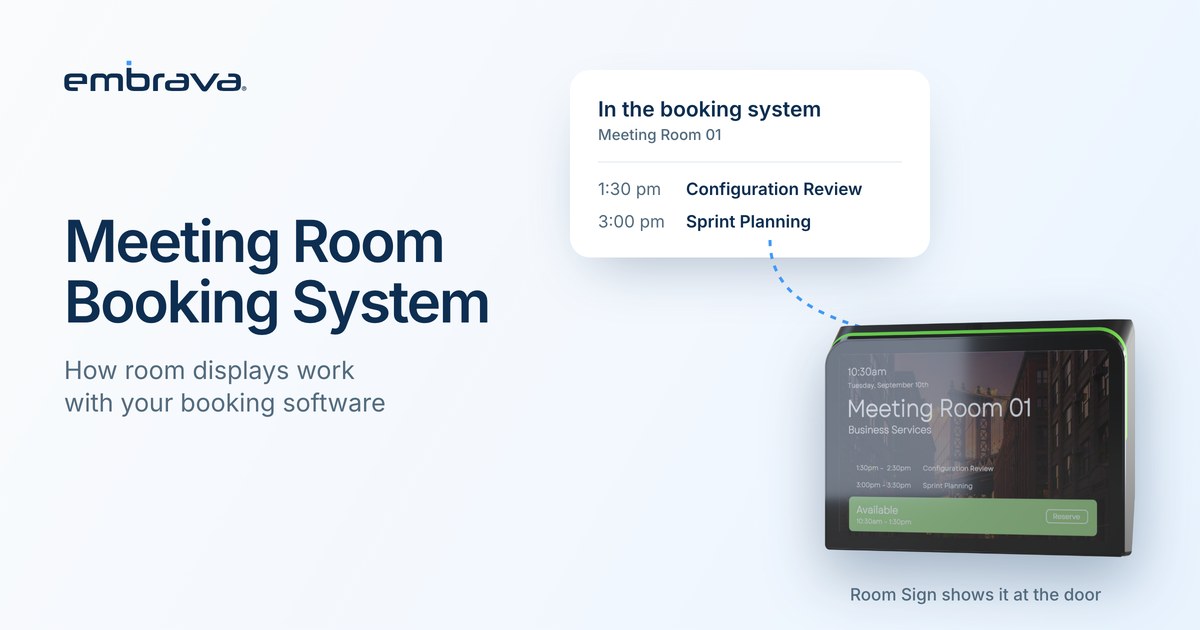
A meeting room booking system is the software that records who reserved which room and when. It might be the calendar you already use, with rooms set up as resources, or a dedicated platform. A room display is a screen at the door that shows what that system knows. The display does not replace the booking system. It shows the system's answer where people need it and, where it is configured, lets them check in.
Illustrative scenario. The people and office are invented. They do not describe an Embrava customer, and no number in the scenario is a benchmark.
Thursday, 2:55 p.m., room 4.12
Dev needs a room for a 3:00 call. The booking app shows room 4.12 reserved from 2:30 to 3:30. He walks to the fourth floor and finds the door open, the lights off and nobody inside. The reservation is still on the app. The platform has a check-in step, but nobody checked in, and whether it frees an unclaimed room depends on a release rule that an administrator has to switch on. In this office, nobody had.
The booking system recorded the reservation accurately. What it could not tell Dev was whether the people who booked the room were coming.
What does a meeting room booking system do?
Three layers do the work, and it helps to name them before you compare products.
- Reservations. The record of who booked which room for which time. This is the system of record.
- Rules. Who can book, for how long, how far ahead, whether bookings can repeat, and what happens when nobody turns up.
- Surfaces. Where people see and use the record: a calendar app, a mobile app, a floor map, a screen at the door.
A room display is a surface. It reads from the first two layers and shows them in the physical space.
Is a calendar a booking system?
For many organizations it is the first one. In Microsoft Exchange Online, a room mailbox is a resource assigned to a physical location such as a conference room. By default it accepts or declines requests automatically, and it can instead send them to delegates for manual approval. Microsoft's documentation lists the default booking options: repeating meetings are allowed, the booking window is 180 days, and the maximum duration is 24 hours. In Google Workspace, administrators create buildings, features and resources, and people see a room's building, floor and features when they choose one.
Those defaults are permissive on purpose. They make rooms easy to book, and they do nothing about a room that is booked and not used. Whether that matters depends on how your rooms are used. If it does, review the rules before you add hardware.
How does a room display work with the booking software?
The display shows the booking system's current answer outside the room: whether the room is available or in use, and what is booked next. What happens after that depends on the platform and on how it is configured.
Release is a good example. In Microsoft Teams, check-in and automatic release for rooms are off by default and an administrator has to turn them on. When the room itself is the meeting organizer, as happens when the booking was made on the panel, the room does not release automatically. In Microsoft Places, people check in through a Teams panel, a Teams Rooms touchscreen console or a Teams chat message. The default check-in window is 10 minutes, and an administrator can set a more lenient policy. Changes can take up to 48 hours to apply.
The lesson is not that one platform is better. Check-in and release are rules in your booking software. A display makes them visible, and it can only work with the rules you have switched on.
| Question | Where the answer lives |
|---|---|
| Who can book this room, and for how long? | The booking platform |
| What does the door show right now? | The room display, reading from the booking platform |
| What happens when nobody checks in? | A release rule in the booking platform |
| How do people check in? | The platform and the display together, using the credentials you have set up |
| Who updates and monitors the displays? | Your device management tool |
What can a booking system not see?
A booking is a statement of intent. It records what people planned, not what happened in the room. A booking platform does not know whether the people who reserved a room arrived, stayed or left early unless check-in or another signal tells it. For more on the gap between booked and used, read Why Do Booked Meeting Rooms Still Sit Empty?
Where does Room Sign fit?
Room Sign is Embrava's display for meeting rooms. Connected to a supported scheduling platform, it shows the room's current status and upcoming reservations outside the room. It uses states such as Available, Reserved, In Use, Ending and Requires Cleaning, with customizable colors. Where the platform and credentials are set up for it, people can check in with a badge, a phone or the touchscreen. Release happens through the cancellation or release process your organization configures in the booking platform.
Room Sign works with scheduling and booking platforms listed on the Embrava site. Check that your platform is listed before you buy. IT manages the signs remotely in Embrava Connect Cloud, where devices can be viewed across locations and configured. Room Sign does not replace the booking platform, and it does not measure who is in the room. It shows what the platform knows.
What should you check before you choose?
- Where do reservations live today, and does the platform you want to keep support the display you are considering?
- Are check-in and release switched on in that platform, and who decided the check-in window?
- How will people check in: badge, phone, touchscreen or a link in the meeting?
- Who manages the displays after installation, and how are updates rolled out?
- How will you learn whether the change worked? Decide the measure before you install.
Frequently asked questions
Talk with an expert
Bring the platform you use today and the list of rooms that cause the most friction, and we can walk through what a display at the door would show and which rules need to change first. Talk with an expert or explore Room Sign.
Related reading
- Why Do Booked Meeting Rooms Still Sit Empty?
- What Is a Ghost Booking?
- Conference Room Display: What to Look For in a Meeting Room Sign
Sources
- Microsoft Learn, Manage resource mailboxes in Exchange Online (updated February 10, 2025)
- Microsoft Learn, Check-in and auto release on Microsoft Teams panels (updated June 16, 2026)
- Microsoft Learn, Enable check in and auto release for rooms in Microsoft Places (updated August 25, 2026)
- Google Workspace Admin Help, Create buildings, features and Calendar resources
- Embrava, Room Sign (live product page)