
Hot Desk Booking: How to Set It Up So People Can Find a Desk
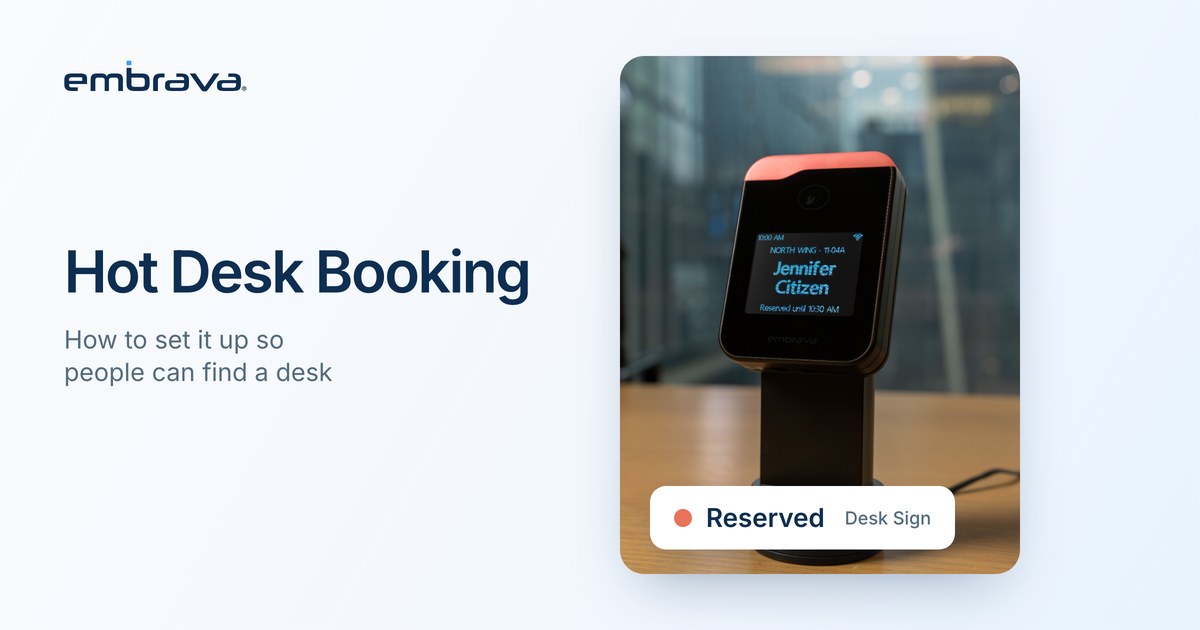
Hot desk booking lets employees reserve an unassigned desk for a day or part of a day instead of owning one. The reservation is the easy part. Whether people find a desk depends on the rest: rules for who can book what and what happens when someone does not turn up, and a signal at the desk itself so the next person can tell whether it is free.
Illustrative scenario. The person and office are invented. They do not describe an Embrava customer, and no number in the scenario is a benchmark.
Tuesday, 9:05 a.m., the fourth floor
Amara booked desk 4.31 on Monday night. She finds a jacket on the chair and a mug on the desk. The booking app says the desk is hers. Nothing at the desk says so, and nothing says whose jacket it is. She stands there for a moment, then takes the desk next to it and hopes nobody else booked that one.
The booking system recorded her reservation correctly. It had no way to settle an argument at the desk.
What is hot desk booking?
Hot desking means desks are shared rather than assigned, whether people take any free desk or reserve one first. Hoteling usually means reserving a desk in advance, and desk booking is the broader phrase for any reservation system. Organizations use these terms differently. In this article, hot desk booking means reservable, unassigned desks.
The reservation record is the system of record. It does not tell you who is sitting at the desk right now, and it does not by itself release a desk that nobody uses.
Why does the busiest day matter?
Hybrid attendance is uneven, and booking rules should plan for the peak, not the average. CBRE's 2026 benchmarking reports that approximately 73% of respondents say Tuesday has the highest attendance, ahead of Wednesday (23%) and Thursday (3%). CBRE says the data comes from its clients, representing 303 million square feet, and does not state how many organizations responded. It describes the pattern among those respondents, not your office.
Plan for the day your own data shows is busiest. If the Tuesday peak is higher than the rest of the week, a desk pool sized for the average will feel short on Tuesday and empty on Friday.
What rules should a hot desk program have?
Keep the rules short enough to remember.
These are the decisions that most often cause friction:
- Who can book which desks. By team, floor or neighborhood, or open to everyone.
- How far ahead people can book. A short window keeps desks flexible. A long window encourages speculative bookings.
- How long a booking lasts. Full day, half day or custom hours.
- What counts as arriving. A check-in step, such as a badge tap, a phone tap or a QR scan, separates a plan from a presence.
- What happens when nobody checks in. A release rule frees the desk after a set time so someone else can use it.
- How people extend or end a booking. If extending is hard, people leave things on the desk to hold it.
Check-in and release are rules in your booking platform. Whether they can be enforced at the desk depends on how your platform and your devices are configured.
Why do booked desks still look unclear?
A booking is an intent. JLL's 2026 occupancy benchmark report notes on page 17 that building badge data can tell you how many people came in but not which seats they used, and that space-level measurement needs reservation, sensor or video analytics data. A booking rate is therefore not a utilization rate. For the difference between the two, read Desk Utilization Benchmarks 2026, and for the pattern of empty booked desks, read Why Do Booked Desks Sit Empty?.
| Part | What it does | What it cannot do |
|---|---|---|
| Booking platform | Records reservations and applies rules | Show who is sitting at the desk |
| Check-in | Confirms the person arrived | Measure how long they stayed |
| Release rule | Frees a desk nobody claimed | Work if check-in is not switched on |
| Desk display | Shows the booking status where people sit | Replace the booking platform |
Where does a desk display fit?
Desk Sign is Embrava's display for shared desks. Connected to a supported desk booking platform, it shows each desk's booking status at the desk, using states such as Available, Reserved, In Use, Ending and Requires Cleaning, with colors you can set for each state. Where names are enabled it can show who booked, and reservations can also be anonymous. Where the platform and credentials are set up for it, people can check in at the desk with a compatible badge, a phone, or a QR code. Details of the badge options are in Desk Check-In: How Badge, RFID and NFC Work.
Desk Sign works with desk booking platforms listed on the Embrava site, including Robin, Appspace, OfficeSpace and Zoom. IT can manage devices across locations in Embrava Connect Cloud. Desk Sign does not replace the booking platform, and a check-in is an arrival signal, not a measure of occupancy.
What should you decide before launch?
- What is the peak day in your own data, and how many desks does it need?
- Which rules will the booking platform enforce, and which depend on people?
- How will people check in at the desk, and have the credentials been set up?
- Who owns the displays, and who answers when one is wrong?
- What will you measure to know the change worked? Decide before you install.
Frequently asked questions
Talk with an expert
Bring your booking platform and one week of booking data, and we can walk through which problems you have and what a status display at the desk would add. Talk with an expert or explore Desk Sign.
Related reading
- Why Do Booked Desks Sit Empty? How to Diagnose and Fix It
- Desk Utilization Benchmarks 2026
- Desk Check-In: How Badge, RFID and NFC Work
Sources
- CBRE, The Hybrid Reality: Why the Office Is More Important Than Ever, 2026 Global Workplace and Occupancy Insights, Part 1 (January 20, 2026)
- JLL, Global Occupancy Planning Benchmark Report 2026: Measuring What Matters (May 2026), page 17
- Embrava, Desk Sign (live product page)