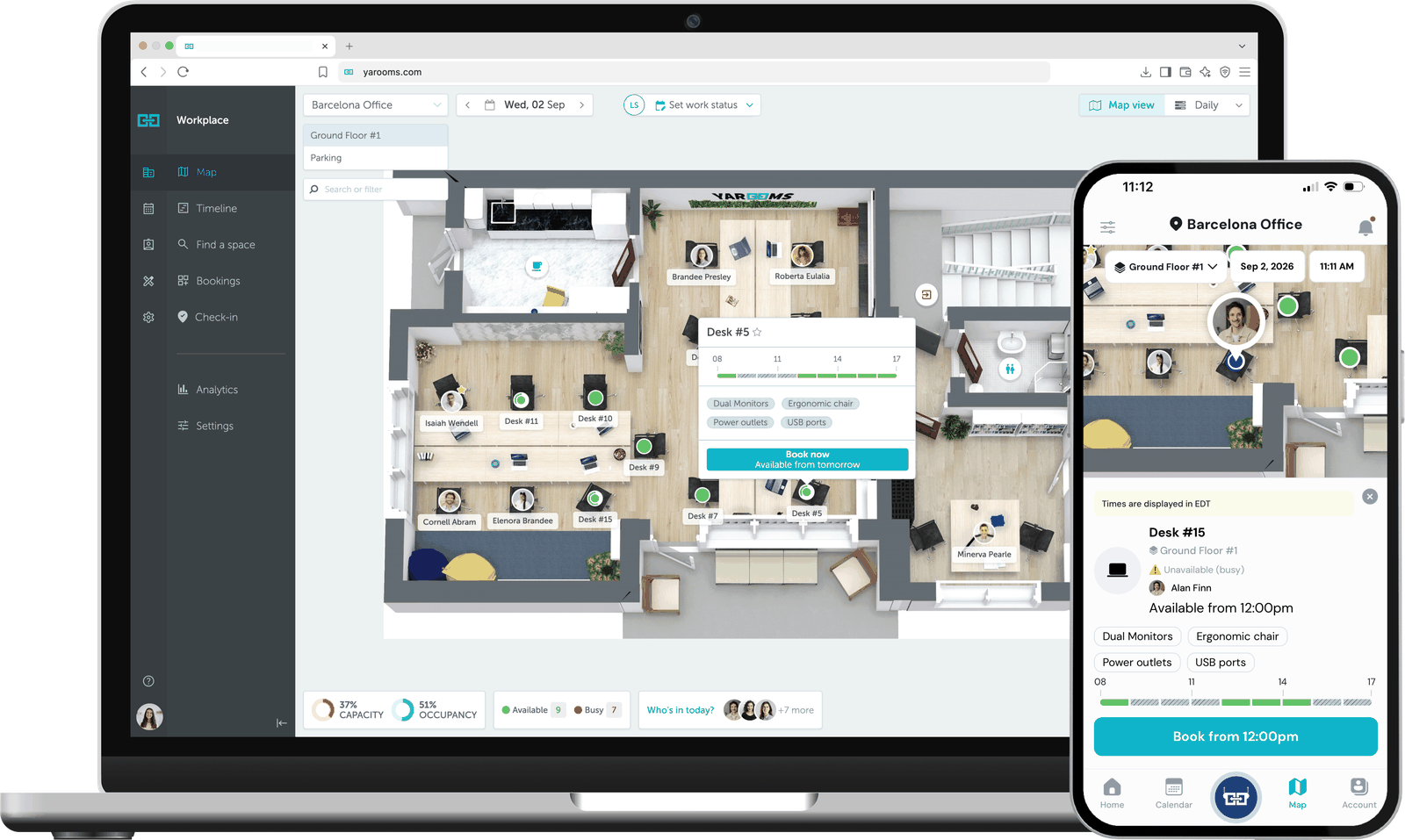
The YAROOMS workplace map on a laptop and a phone, showing desk availability on a floor plan and a Desk #5 booking card.
Overview

YAROOMS is the system of record.

Interactive floor maps show the whole office, so people can see what is free and claim it from the map. Yarvis, their AI assistant, handles conversational booking inside Teams and email. Every booking and check-in rolls up into workplace analytics: real utilization, not just what was reserved.

Who this is for

Built for the teams behind the workplace.

For organizations using YAROOMS to manage shared spaces—and the workplace, facilities, and IT teams responsible for making every booking work in the real world.

Workplace leaders

Facilities teams

IT teams

Existing YAROOMS customers

How it works

From booking to desk, and back.

A booking can start in the platform or at the space itself. Both routes end in the same place.

Route 1

Booked ahead, in the platform

Starts in YAROOMS

  1. YAROOMS

    Employee books a desk or room: web, mobile, Outlook, Teams, or Yarvis.

  2. Embrava

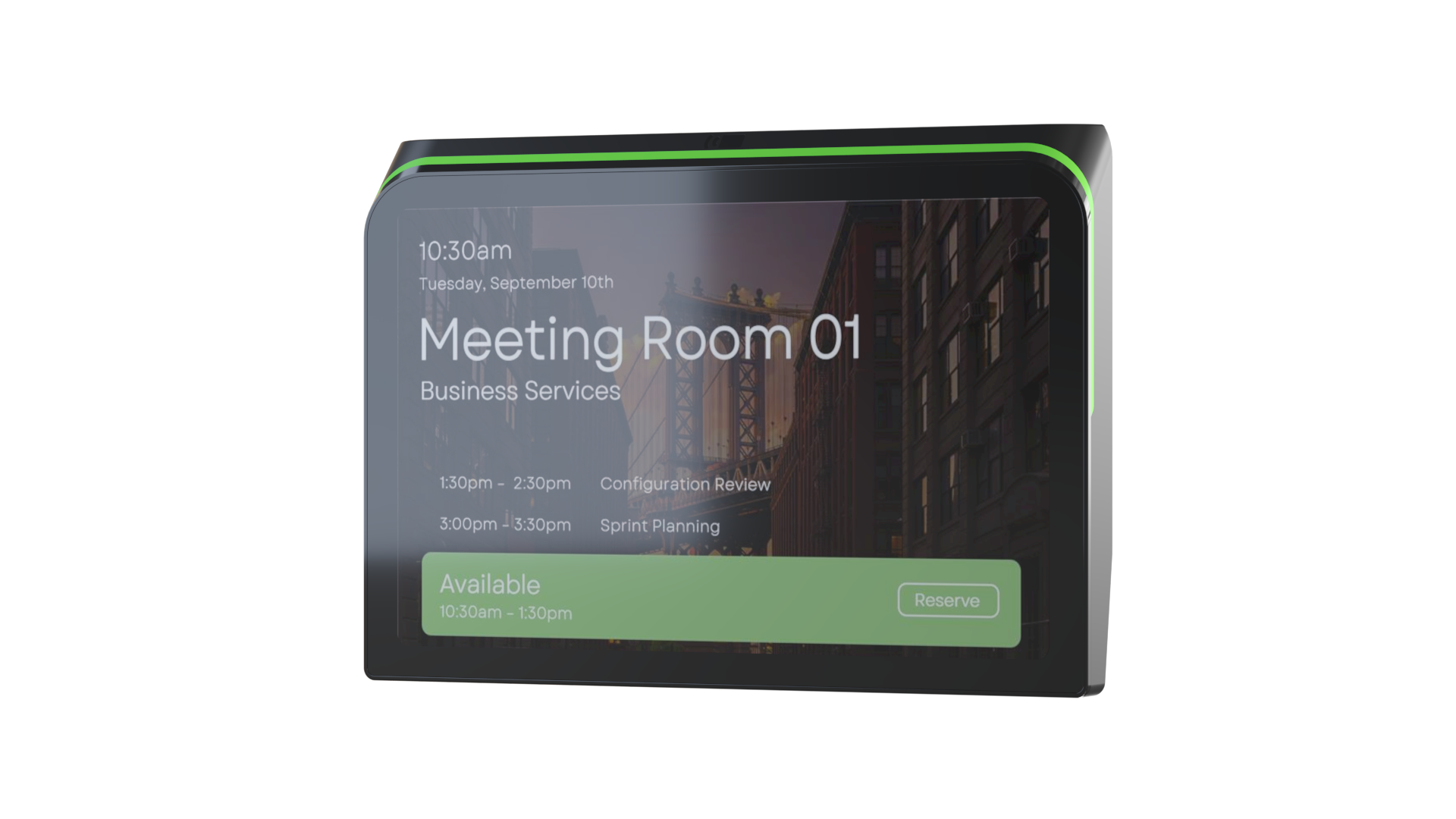
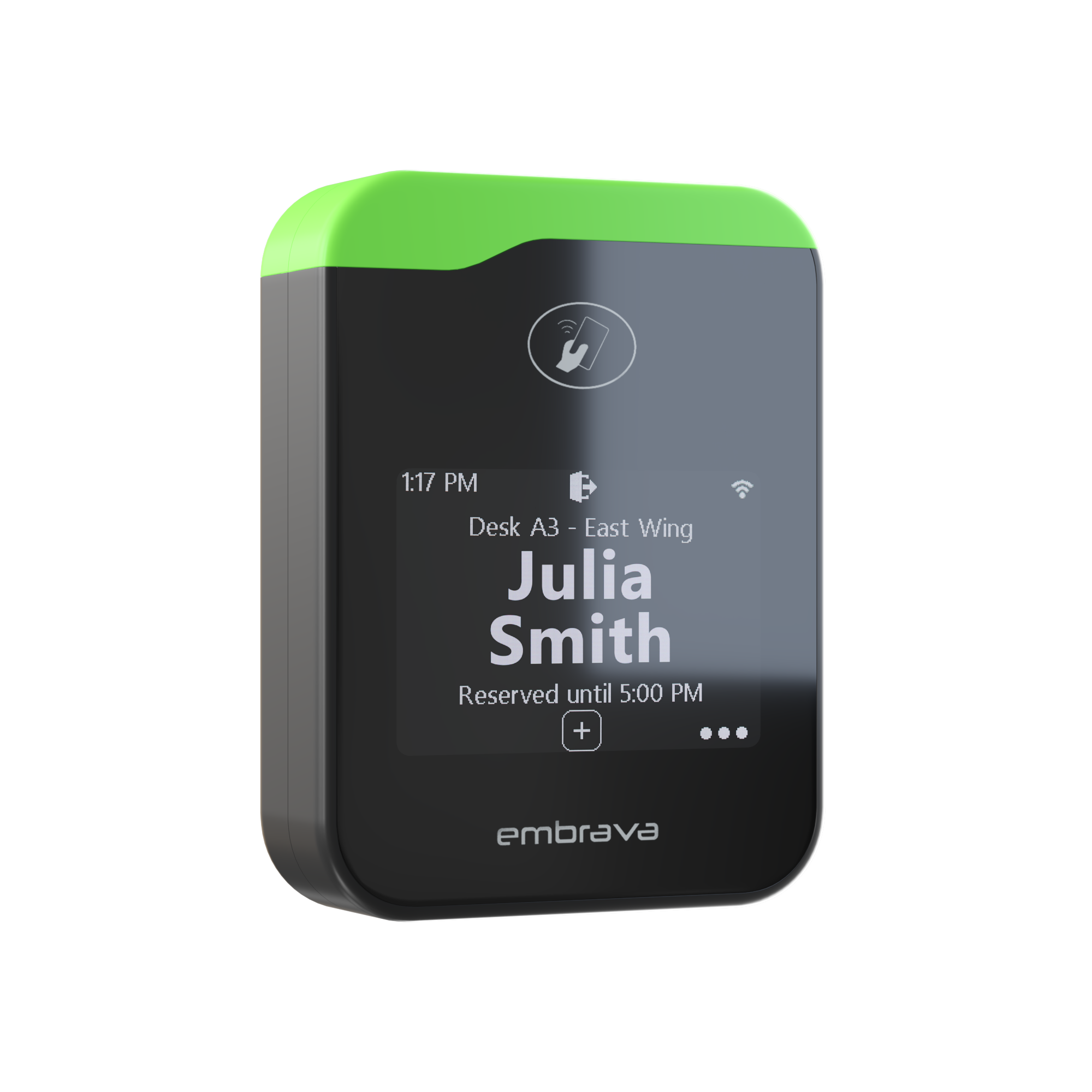
    Booking appears on the sign: name, time, and LED status.

  3. Embrava

    Employee checks in at the device: badge, phone, QR, or touch.

  4. YAROOMS

    Check-in, or no-show, reports back to YAROOMS analytics.

Route 2

Walk-up, at the spot

Starts at the device

  1. Embrava

    Employee sees a green LED and books the space right there.

  2. Embrava

    Embrava sends the booking to YAROOMS.

  3. YAROOMS

    Shows as taken everywhere: floor map, app, calendar, Teams, Outlook.

  4. YAROOMS

    The booking lands in YAROOMS analytics.

Data direction
Bi-directional. A booking made in either place shows up in both.
On-device actions
Book on the spot, check in, extend or end a booking, check out.
Data shared between platforms
Space availability, booking and check-in status, utilization data.
Requirements
To deploy the YAROOMS and Embrava integration, you need an active YAROOMS license and an Embrava Desk Sign or Room Sign.
Benefits

Four things that change once the signs go up.

Live availability everywhere

The same status on the sign, the floor map, and in Teams or Outlook, no matter where someone looks.

Book on your terms

Plan the week in YAROOMS, or claim the desk you are standing at, right on the Embrava sign.

Check in your way

Badge, phone, QR, or touch. Whatever is fastest at that device.

Analytics built on what actually happened

Every booking and check-in feeds real occupancy data, something admins can actually plan against.

FAQ

Common questions.

Yes. YAROOMS integrates with Embrava Desk Sign and Room Sign to display live desk and meeting room availability, booking status, and check-in information throughout the workplace.
Yes. Organizations already using YAROOMS workplace management software can add Embrava devices to make desk and room availability more visible and allow employees to manage bookings directly at the space.
YAROOMS supports Embrava Desk Sign and Room Sign. Desk Sign displays live availability and booking information at individual workstations, while Room Sign provides the same visibility and booking capabilities outside meeting rooms and shared spaces.
The YAROOMS and Embrava integration allows employees to book an available desk or room on the spot, check in to an existing reservation, extend or end a booking, and check out when they leave.
YAROOMS and Embrava synchronize space availability, reservation details, check-in status, and utilization data. This keeps the information displayed on Embrava Desk Sign and Room Sign devices aligned with the YAROOMS platform and gives workplace teams a more accurate view of space usage.
Already using YAROOMS?

Add Embrava signs to your YAROOMS workplace.

Bring live availability, walk-up booking, and check-in to every desk and meeting-room door.

Explore our other partners.

Embrava signs are platform agnostic. The same hardware works behind every workplace platform below.

View all partners
OfficeSpace Eptura Robin ServiceNow Envoy
Microsoft Places
Microsoft 365 Zoom Rooms Appspace Accruent EMS

Want to become a partner?

Whether you build software our hardware should plug into, or hardware that complements ours, we'd love to talk about how we can grow the workplace ecosystem together.